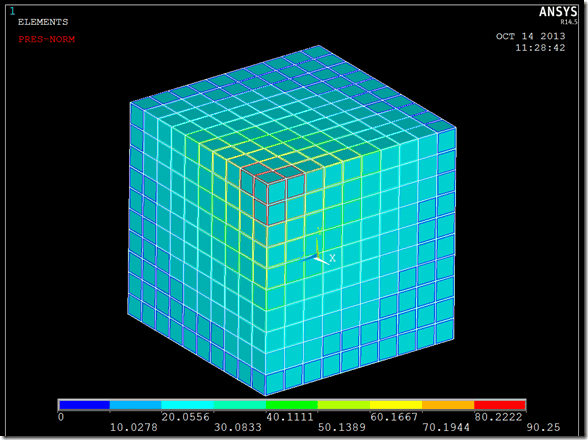
The other day we received a tech support call requesting a way to remove the space between the element faces on a pressure plot. He wanted this so that he could get a contour plot without seeing the contours of the elements on the back side of the part. So I built my trusty test block and applied a pressure. By turning on the pressure load symbols with the /PSF command, also under PlotCrtls > Symbols, you can get plots like this.
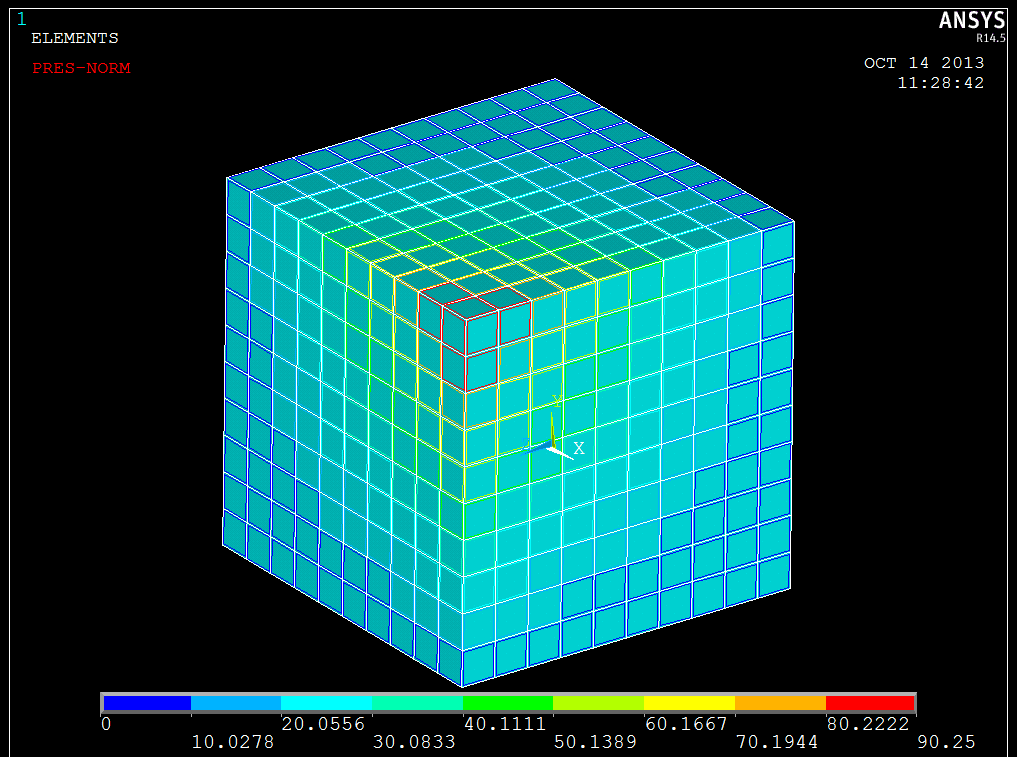
Face Outlines (/PSF,1,1)
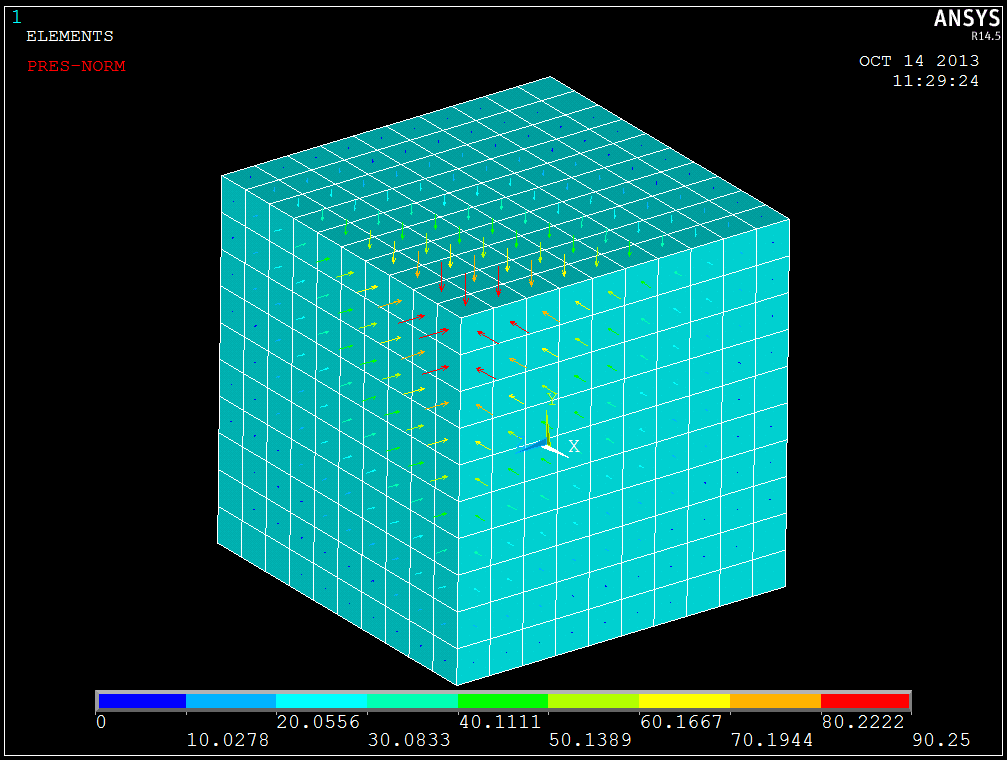
Arrows (/PSF,1,2)

Contours (/PSF,1,3)
Of course the customer was using this last contour plot option, but as you can see below, if you have pressure on both sides of the model, then the backside pressures show through the gaps. The plot can get a bit confusing. So after some digging, starting with the /PSF command, and not finding any reference on how to change the plot behavior, I asked around if anyone else had a way to do it, other than my first inclination which was to write a macro. So as I reverted to creating a macro, to do what should be a simple task, I thought, “No, there HAS to be an easier way.” Of course there is.
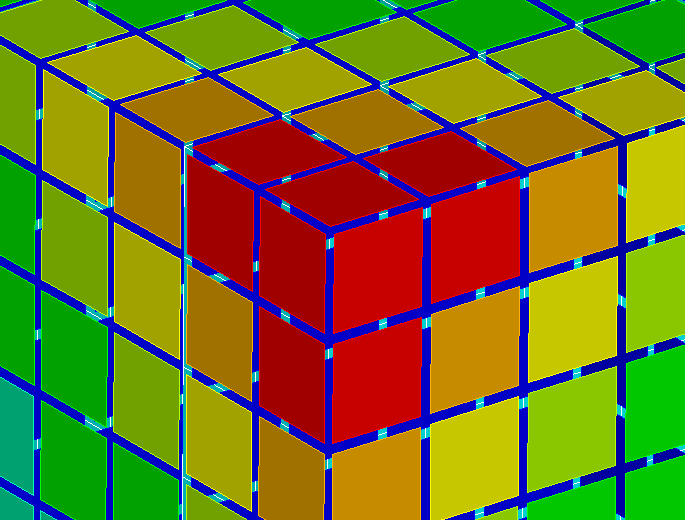
The one thing I’ve learned over the years… Well, yes, I’ve learned more than ONE thing, but I’m trying to make a point here… The one thing I’ve learned over the years, is that no matter how much I learn, there is always someone who know more than me. So I asked Sheldon! (Not the Sheldon on Big Bang Theory; ANSYS, Inc’s very own Sheldon Imaoka.) I thought, “Surely he will know some undocumented command to save me time. It took him all of three minutes to get back to me with the /HBC command. It is a fully documented, but seldom used, command that is hidden in the recesses of the Command Reference that determines how boundary condition symbols are displayed. When turned on, it will “use an improved pressure contour display.” So you go from the picture on the top, to the picture on the bottom.
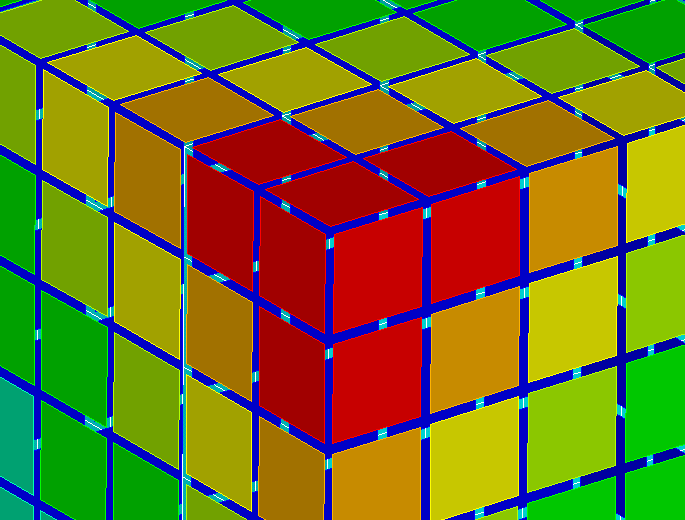
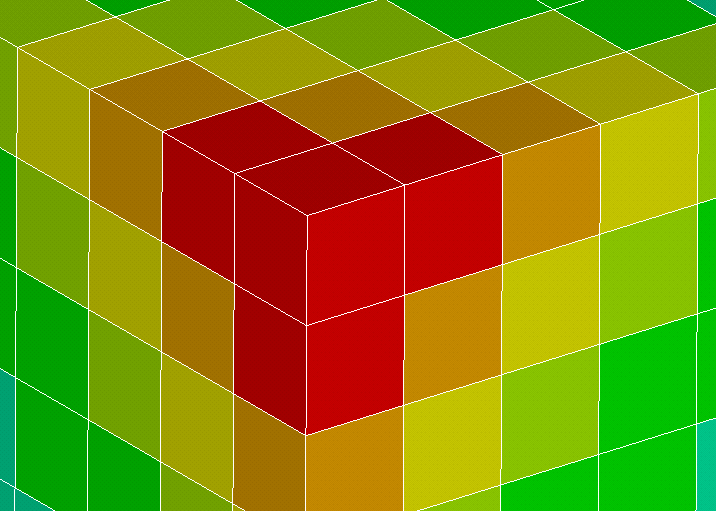
So I learned two new things. One is the /HBC command can give you nicer looking plots. The other, and even more useful thing, is to click the links on the help page at the upper right corner.

For if I did, I would have found the /HBC command on my own.

It looks like I need to sit down with a nice cup of hot chocolate* and the Command Reference and just scan the listing for commands that I don’t recognize and learn what they do. Oh, what I go through for you people. Well, I’ll just make sure that it’s really good hot chocolate*. I’ll write a new post from time to time on cool commands I find useful.
Have a great day!!!
*It’s 85 degrees here this week and I really meant iced tea, but I didn’t want to rub it in.