3D Printing Users Lunched & Learned about Dealing with Scanned, Repaired, and Legacy Geometry

PADT-Geometry-Scanning-Partners This Thursday we had the first of seven free seminars on how to deal with geometry created with 3D scanning, how to repair faceted geometry, and how to deal with old CAD geometry.  Don’t panic, we have six more scheduled. Scroll down to see the schedule and register for upcoming versions of this seminar. The inaugural session was held in PADT’s Tempe office and engineers from several departments across the company shared the tools we use in consulting and the lessons we have learned over the years to a pack room full with customers that represented everything from the home inventor to engineers from some of Arizona’s largest aerospace and electronics companies.

badgeometry

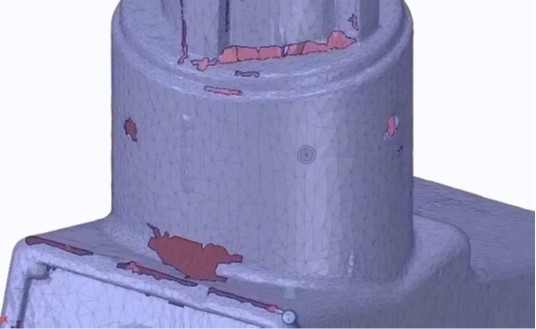
As more and more companies do 3D printing we are finding that they struggle with imperfect geometry. Whether it was scanned, from another CAD system, or an STL (3D Printer) file from someone else, when it came time to print parts people were having difficulty getting valid geometry.  So we created a road show to go over the tools we use here to 1) get good scan geometry in the first place, 2) convert scan geometry into something useful, and 3) repair bad STL and CAD files.

Things got kicked off with a presentation on the various ways you can scan 3D geometry.  Our scanning engineer, Ademola, also demonstrated our Geomagic Capture and Steinbichler scanner on some real parts.
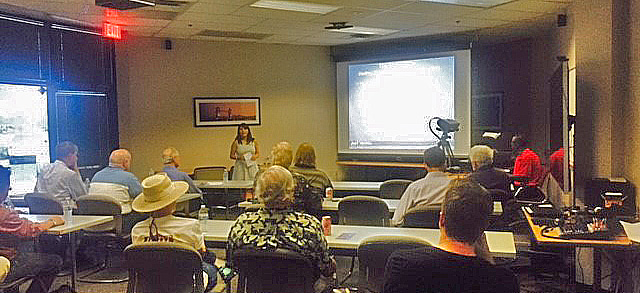
padt-scanning-spaceclaim-seminar-tempe-3-2015_05_14

After some food, we moved on to looking at Geomagic Design X.  This is the tool we use to convert our scan data to a fully usable and clean CAD model.  If you have tried to go from scan to CAD without this tool, you know how much work it is.  padt-scanning-spaceclaim-seminar-tempe-2015_05_14
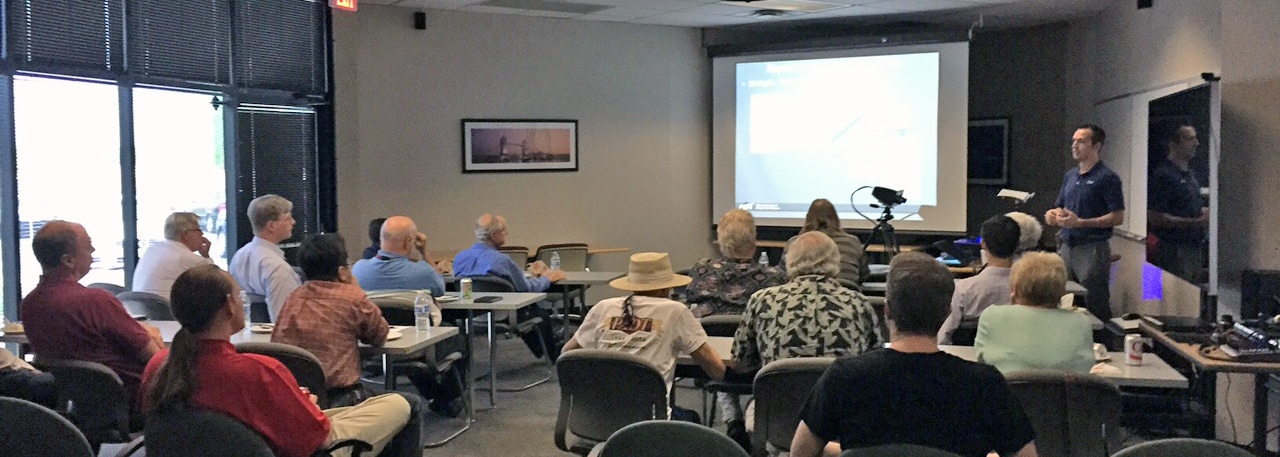
Next we looked that the tool that we use to import, modify, and clean existing geometry: SpaceClaim.  As the presenter Tyler Smith said “No matter the source of geometry, SpaceClaim is the tool to help”

padt-scanning-spaceclaim-seminar-tempe-2-2015_05_14

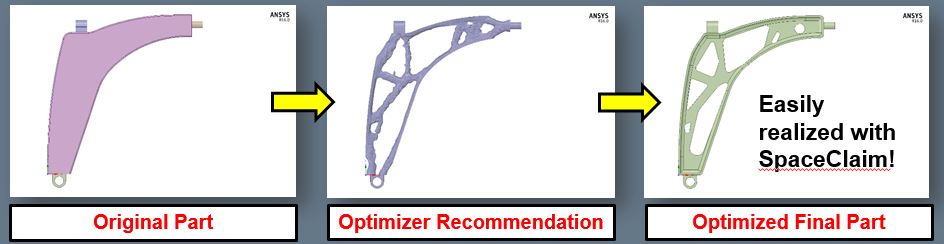
We finished up with topological optimization. Where we spent most of the event talking about how to get good geometry, in this last presentation we talked about how to make the geometry better by using simulation to optimize the shape of your parts.
padt-scanning-spaceclaim-seminar-tempe-5-2015_05_14

It was a great crowd with the kind of questions you hope for when doing a seminar.  If you are in the Southwest, there is still time to attend one of these lunch & learns being held in other locations. Click on the event you want to register.

May 14 – Tempe, AZ
 
June 9 – Denver, CO
 
June 10 – Colorado Springs, CO
 
June 11 – Albuquerque, NM
 
June 16 – Salt Lake City, UT
 
June 17 – Ogden, UT
 
July 8 – Tucson, AZ

Or you can contact PADT directly to learn more about the products and services we covered, which included:


Get Your Ansys Products & Support from the Engineers who Contribute to this Blog.

Technical Expertise to Enable your Additive Manufacturing Success.

Share this post:

Upcoming Events

Sep 14
- Sep 19
, 2026
IMTS 2026
Sep 15
, 2026
Simulation for Data Center Cooling Infrastructure - Webinar
Sep 16
, 2026
Ansys Simulation Solutions for Electrical Machines - Webinar
Sep 16
, 2026
Entry-Level Structural, Thermal and Flow Simulation - Webinar
Sep 23
, 2026
AZTC September After 5
Sep 30
, 2026
The Role of the Digital Twin in Modern Design and Engineering - Webinar
Oct 07
, 2026
2026 AZBio Awards
Oct 08
, 2026
White Hat Life Science Investor Conference
Oct 13
- Oct 14
, 2026
Ansys Transportation Summit & International LS-DYNA User Conference
Oct 21
, 2026
2026 Southern Arizona Tech + Business Expo
Oct 22
, 2026
Tucson Ansys Optics User Group Meeting
Oct 28
, 2026
Nerdtoberfest 2026
Nov 15
- Nov 18
, 2026
2026 ANS Winter Conference & Expo
Nov 18
, 2026
2026 Governor’s Celebration of Innovation

Contact Us

Most of our customers receive their support over the phone or via email. Customers who are close by can also set up a face-to-face appointment with one of our engineers.

For most locations, simply contact us: