Friday Flownex Tip #16:
The Flownex team has just released Flownex SE 8.12.8, also known as 2021- Update 1. This release added new components, additional flexibility, additional improvements to user-friendliness, and bug fixes. There is a lot to unpack, and the best way to know all the details is to dig into the Release Notes. If you don’t have time for that, below are the nine enhancements that PADT’s engineers feel are the most noteworthy.
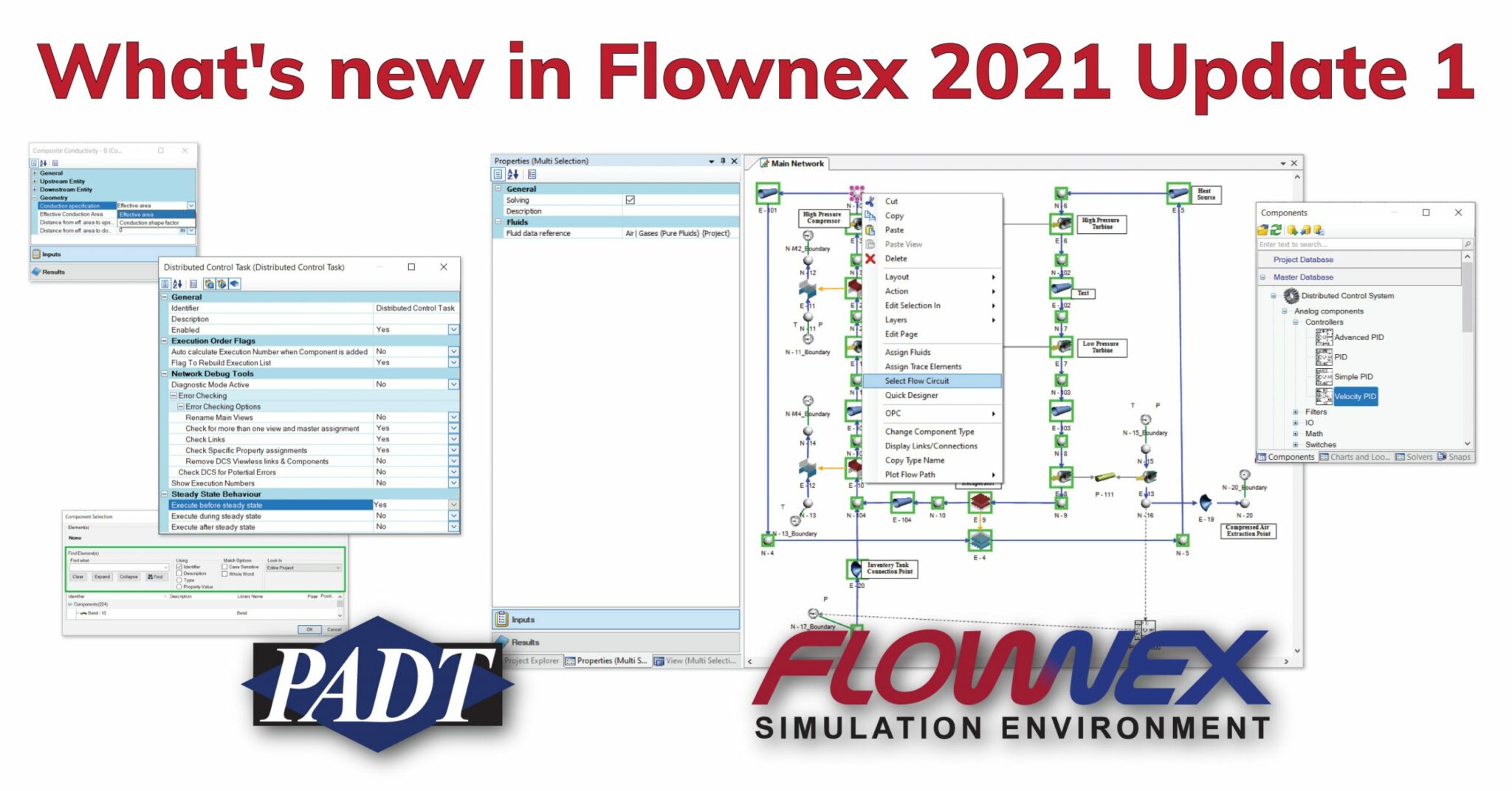
Velocity Based PID controller in the Distributed Control System
The new velocity based PID controller calculates the change in output variables, rather than an output itself. This enables multiple controllers to control the same variable without causing spikes in the output.

Steady state operations are now part of DCS components
DCS components can propagate their inputs into the model before, during, or after a steady state solution has been computed. This allows the user to decide if the DCS component initializes the steady state solution, calculate values for each timestep during the solution, or after the steady state solution has been completed. Be default, before is used.

Component Selection now has a search feature
The same controls that are in Flownex’s “Find” dialog are now in the Component Selection dialog. Multiple filters and options are available to make it easy to select components in models.

Added humid air fluid functions to Material Scripts
Psychrometric fluid functions have been added to the Material Scripts to enable the calculation of mixture mass fractions for three input combinations:
- Humidity Ratio
- Pressure, dry bulb temperature, and relative humidity
- Pressure, dry bulb temperature, and wet bulb temperature
A new option to select between Conduction Shape Factors and Effective Area for the composite conductivity element
This one is pretty straightforward. A drop down in the Composite Conductivity dialog, under “Geometry”, lets the user specify which method they want for calculation conduction.

The installation verification tool now support several instances of Flownex in parallel
Users can now make sure that their installation is running parallel instances correctly with this new option. By default, it will run half the number of available logical processors, or the user can change the number in the tools user interface.
The Reactor Builder script has been greatly enhanced
User input has been combined to make multiple changes to the script that builds reactors. The enhancements are very specific to nuclear reactors and not only allow for more accurate models, but also a smoother process. If you use this feature, make sure you check the release notes.
Changes have been made to the runtime neutronics script
Another area that should excite (is that a pun?) those who model nuclear reactors are the user-driven changes to the script that models neutron behavior in reactors. These are fairly significant and a must-read for anyone who uses this feature.
Ability to select all components in a flow circuit on the drawing canvas
Users can now right-mouse-button on a component in their model and select all the components that are in the same flow circuit. Not only are they selected, but any common properties are shown in the properties grid.

And, much more
There were also a few bug fixes, especially in the flow solver components, so if you were dealing with an issue check the release notes or contact PADT to see if your problem has been resolved.
These were the changes that we think most users would be interested in knowing about. Check out the release notes to see all of them and, as always, don’t hesitate to reach out if you have any questions or don’t see something you need.