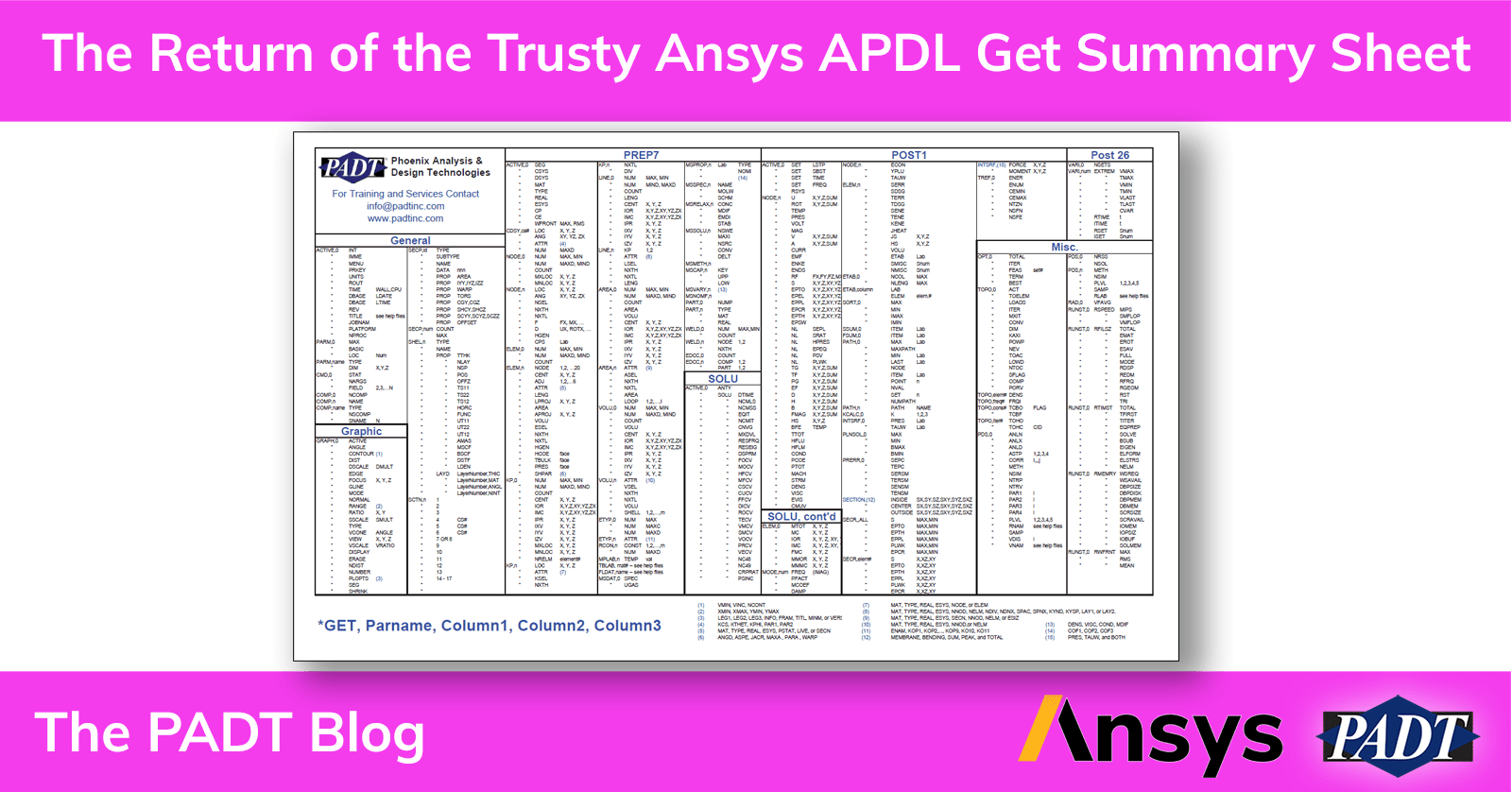
What is an APDL Get Summary Sheet? Well, way back in the distant misty past of Ansys usage, when Ansys was all-caps, and the only tool in the Ansys family was Ansys, we would use text commands to build, run, and post-process our models. One of the most powerful family of commands were started with “*get.” As the name implies, *get was used to pull data from the database. Almost everything in your model could be accessed through a *get or, if you needed a set of values, *vget.
And, when we were young and before this blog, when Rod Scholl (who now runs Epsilon) was creating the early version of our newsletter, he got the idea of summarizing the *get/*vget commands on two sides of an 11×17 piece of paper, and the Get Summary was created. We printed it out on thick paper and took it to user group meetings, where it was a huge hit.

These days, most users don’t need *get/*vget to pull data from the database. But, as many users know, if you can sling some APDL code and wield *get/*vget effectively, there is little you can’t accomplish. Take a look at the the Mechanical APDL Command Reference manual and check out *get and *vget.
For those who still use *get/*vget and for those who are nostalgic about those early days, we present a PDF version of the Get Summary. Please download and enjoy.